
Handheld
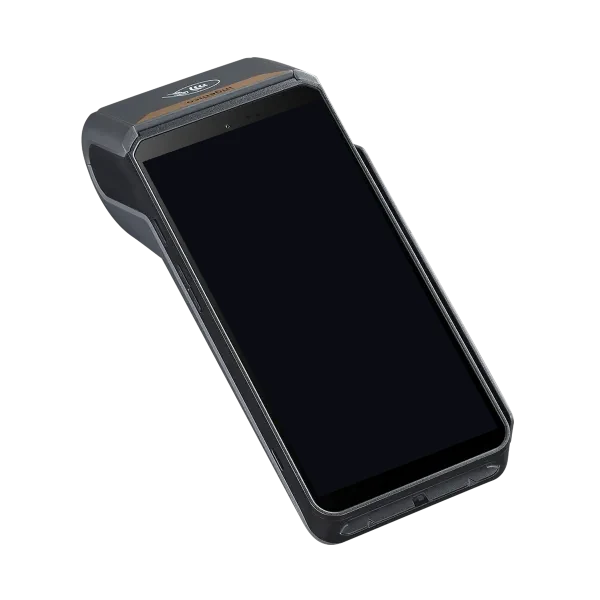
Ingenico DX8000
An all-in-one, battery-powered Android terminal with a large touchscreen — the complete point of sale for counters and the field.
- Tap, chip and swipe
- Large touchscreen
- Wi-Fi and LTE

DivPay Connect runs on a handheld card terminal and connects straight to the DivPay cloud — take payments at the counter, at the table, or at the customer's door, and settle into the same account as your store and website.
Every terminal talks to the DivPay cloud — sales, refunds and settings stay in sync with your portal and your software.
Pair a terminal with a six-digit code and assign it to a store from the portal — no technician visit needed.
Contactless, chip and swipe on the terminal — or show a QR code so the customer pays on their own phone.
Items, categories, barcodes and stock — import them from a spreadsheet and publish to every terminal in a store.
A clear, fast screen for cashiers and field staff — designed for busy counters and doorsteps alike.
DivPay Connect's card-present integration is certified on these devices, so EMV chip and contactless payments are accepted the way the card networks require.
An all-in-one, battery-powered Android terminal with a large touchscreen — the complete point of sale for counters and the field.
A compact card reader that pairs with a phone or tablet — for teams that already carry their own device.
Each store keeps its own terminals, tax setup, tip presets and receipt details.
Owner, manager and cashier roles — or your own — scoped to the stores each person works in.
Bring your catalog in from CSV or Excel, with saved column mappings for next time.
Every sale from every terminal, with its tenders, tips, voids and refunds.
The card is read and sent for authorization by the certified terminal. Your staff, your software and our servers never see the full card number.
How DivPay protects payments →Talk to our team about your business in the United States or Canada.